Replacing Two Legacy Systems with a Single Python Service
For years, the Mississippi Department of Archives and History relied on two separate systems to track changes on the preservation storage array: a bash script (`pres-audit.sh`) that logged file changes, and a multi-server ZFS snapshot pipeline (`pres_snap`) that involved TrueNAS cron jobs, a Redis queue, and a dedicated Ubuntu processing server. They worked, mostly, but the complexity was becoming a liability. When something broke, debugging meant jumping between three different machines and piecing together what happened.
The Problem
The preservation array at MDAH holds irreplaceable digitized historical documents, photographs, government records, and audiovisual materials mounted over NFS. We need to know exactly what changed, when, and maintain a durable audit trail. The old setup technically did this, but:
- The bash script just appended to a log file with no structured data
- The snapshot pipeline required coordinating three servers and two queues
- When the Redis queue backed up or the processor crashed, events were silently lost
- Nobody wanted to touch any of it
The Architecture
Preservation Monitor is a single systemd-managed Python service that does everything the two old systems did. The core pipeline looks like this:
The service spawns inotifywait as a subprocess watching the entire preservation tree recursively. Events stream in through stdout, get parsed, and flow through the pipeline. Every raw event is written to a daily audit log immediately, so even if the database is completely down, we never lose a record.
Move Correlation
One of the trickier parts was handling file renames. inotifywait doesn't emit a single "renamed" event. Instead, it fires MOVED_FROM followed by MOVED_TO as two separate lines. If you just record them individually, your audit trail shows a confusing delete-then-create instead of a rename.
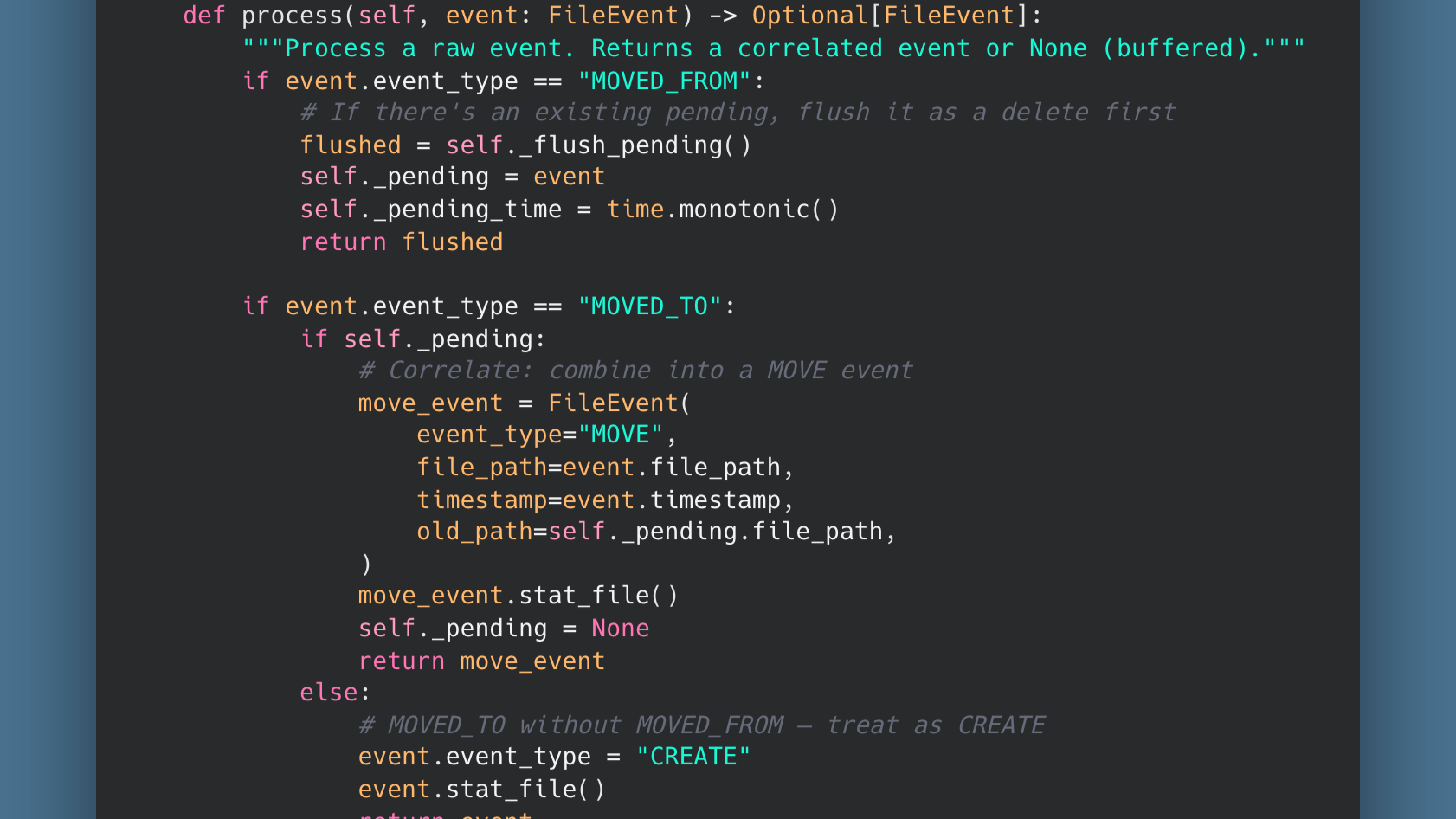
The MoveCorrelator solves this by holding a pending MOVED_FROM event for a short window. If a MOVED_TO follows, they get combined into a single MOVE event with both the old and new paths:
If the MOVED_TO never comes (file moved outside the watched tree), the timeout expires and the orphaned MOVED_FROM becomes a DELETE. Clean and deterministic.
Database Resilience
The service writes to a PostgreSQL database, but the NFS mount and the database server are on different machines. Network hiccups happen. The original snapshot pipeline would just lose events during outages. Preservation Monitor handles this differently:
- Events are always written to the daily audit log first, regardless of database state
- Database writes are buffered and batched (up to 100 events or every 5 seconds)
- If the database is unreachable, the buffer grows in memory and the service retries every 30 seconds
- A replay mode can re-process audit log files to backfill the database after extended outages
The audit log files are the source of truth. The database is a queryable index over them.
The Originals Table
Beyond just tracking changes, Preservation Monitor maintains a live inventory of every file on the array in an originals table. Creates trigger upserts, deletes remove rows, and renames update paths in place. A separate reconcile mode can do a full filesystem walk to rebuild this table from scratch if needed, which is invaluable for disaster recovery planning.
What We Replaced
| Before | After |
|---|---|
| Bash script + cron on the NAS | Single Python service on one server |
| ZFS snapshot pipeline across 3 servers | Direct inotifywait event stream |
| Redis queue for event transport | In-memory buffer with audit log backup |
| No structured data, just log files | PostgreSQL with queryable change history |
| Silent failures when Redis backed up | Automatic retry with audit log replay |
Lessons Learned
Separate your transactions carefully. The first version of this service ran record_changes() and sync_originals() as if they were a single operation. When sync_originals failed (a NOT NULL constraint on a file that had disappeared before we could stat it over NFS), the exception prevented the buffer from clearing, but the record_changes INSERT had already committed. Every 30-second retry re-inserted the entire buffer. The file_changes table grew to 27GB in a matter of days before we caught it. The fix was straightforward: treat the audit insert and the inventory sync as independent operations. If the inventory update fails, log it and move on. The audit data is already safely committed.
NFS and stat() don't always agree. When a file is created and quickly deleted (or is a transient temp file), stat_file() can fail by the time we get to it. The code now gracefully handles NULL size and inode values rather than letting them cascade into a database constraint violation.
Simpler is more reliable. Three servers, two queues, and a cron job turned out to be harder to maintain than a single Python process reading lines from stdout. The new system has fewer moving parts, fewer failure modes, and when something does go wrong, there's one log file on one machine to check.
Preservation Monitor is running in production at the Mississippi Department of Archives and History, quietly watching over Mississippi's digitized historical record.